Retain Configurations for Hot Desking Phones
This topic describes how to configure retention of specific phone configurations on hot desking phones after guests log out.
Requirements
The firmware of Cloud Voice is 84.19.0.70 or later.
Procedure
- Log in to PBX web portal, go to .
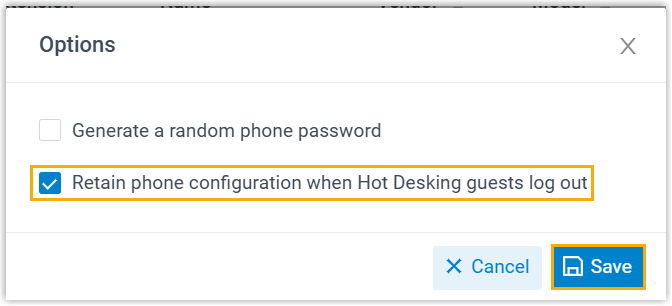
- At the top of the list, click Options.

- In the pop-up window, select the checkbox of Retain phone
configuration when Hot Desking guests log out, then click
Save.
Result
When an extension user logs out of a Hot Desking phone, the general phone
configurations will be
retained.
Note:
- Only the general configurations will be retained (such as language,
signal tones, distinctive ringtone, codecs, etc.), which are configured
in the Auto Provisioning > Phones >
 > Phone.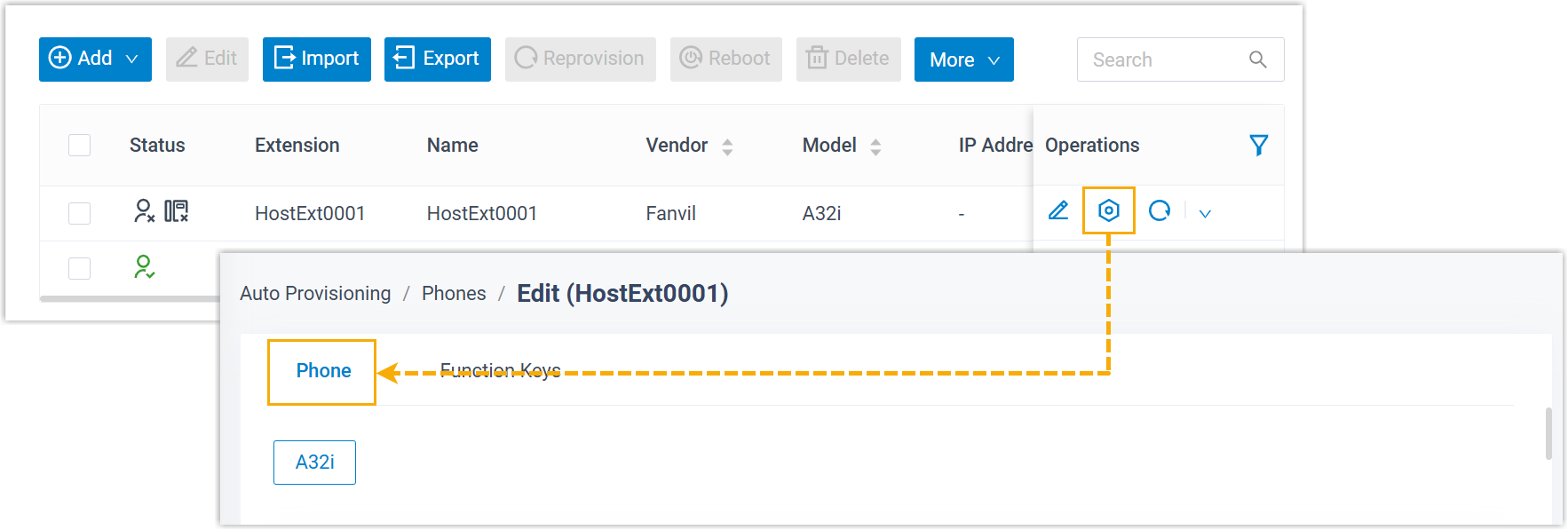
- The extension registration-related configurations, LDAP directory settings, and function key settings will be cleared.