Enable Video Preview of Intercom Calls for Extensions
If you integrate video intercom system with Cloud Voice, you can enable video preview of intercom calls for the extension registered on the door station. In this way, when receiving an incoming call from the door station, users who have their extensions registered as the indoor station can preview the visitor's video on their Cloud Voice App UC clients while ringing, and control the opening of the door.
Scenario
A video intercom system contains a door station and an indoor station. If you integrate video intercom system with Cloud Voice, you can make the door station a regular PBX extension for making calls by registering an extension on it, and Cloud Voice App UC clients can work as the indoor station.
When visitors press the door station to ring the bell, the door station sends the doorbell (namely a call) to the indoor station. Users can preview the video on Cloud Voice App client while ringing, and decide whether to open the door for visitors.
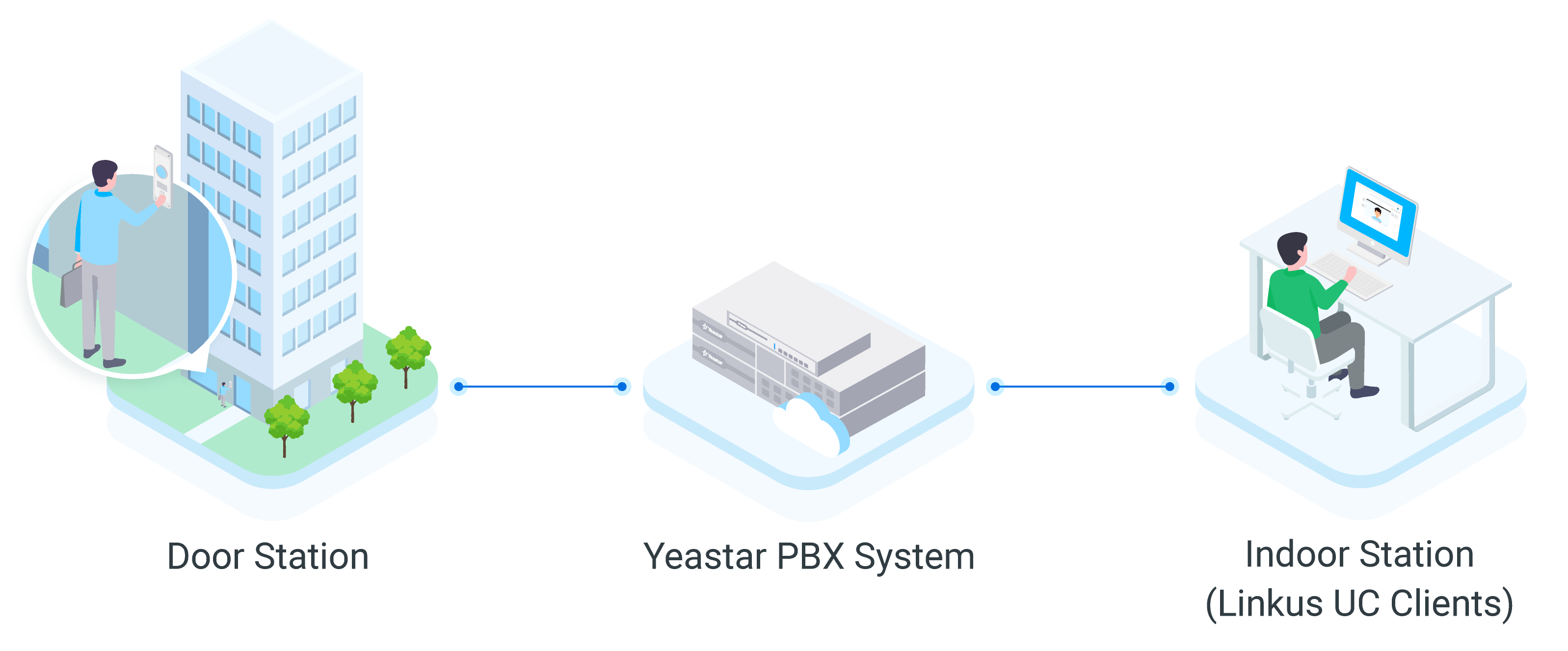
Methods of previewing videos
Cloud Voice supports the following two methods of previewing videos:
- Video Preview: This method requires action from callee. When receiving an incoming call from door station (with video preview enabled on the extension), the callee can click the preview button on the Cloud Voice App client to preview the video while ringing.
- Auto Preview: This method does NOT require action from callee. When receiving an incoming call from door station (with auto preview enabled on the extension), the callee's Cloud Voice App client will automatically show the video while ringing.
Requirements and restrictions
- Requirements
-
- PBX Version: 84.10.0.30 or later
- PBX Plan: Ultimate Plan
- Restrictions
-
- Supported Door Station: FanvilNote: Fanvil door stations have been tested and proven to interoperate with Cloud Voice. For other door stations, please contact Cloud Voice.
- Supported Indoor Station: Cloud Voice App UC Clients
Take note that the supported video preview methods vary depending on Cloud Voice App clients. For more information, see the following table:
Video Preview Auto Preview Cloud Voice App Mobile Client (iOS) × × Cloud Voice App Mobile Client (Android) √ √ Cloud Voice App Desktop Client (Windows) √ × (Coming Soon) Cloud Voice App Desktop Client (Mac) √ × (Coming Soon) Cloud Voice App Web Client √ √ Note:- If Cloud Voice App Web Client is set up to work with 'Cloud Voice App for Google', the version of the Chrome extension must be 4.2.1 or later.
- The version of Cloud Voice App Android Client must be 5.3.12 or later.
- Supported Door Station: Fanvil
Procedure
- Log in to PBX web portal, go to , edit the extension for door station.
- Click Features tab.
- In the Door Phone Application section, set up the
video preview feature:
- Video Preview: If enabled, when receiving an
incoming call from door station with the extension registered, the
callee can click
 on his or her Cloud Voice App client to preview
the video while ringing.
on his or her Cloud Voice App client to preview
the video while ringing.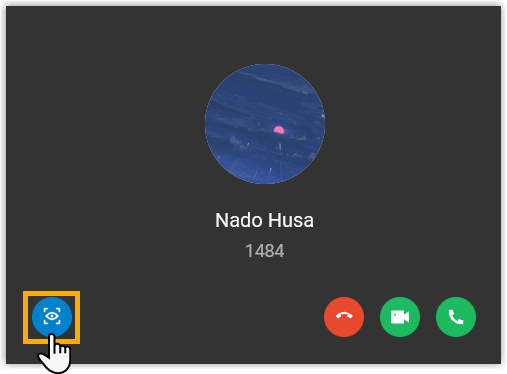
- Auto Preview: If enabled, when receiving an
incoming call from door station with the extension registered, the
callee's Cloud Voice App client will automatically show the video while
ringing.

- Video Preview: If enabled, when receiving an
incoming call from door station with the extension registered, the
callee can click
- Click Save and Apply.