Make Outbound Calls through the Extended FXO Trunks
After connecting Cloud Voice and Cloud Voice TA FXO gateway, you need to set up routes, so as to make outbound calls through the extended FXO trunks.
Scenario
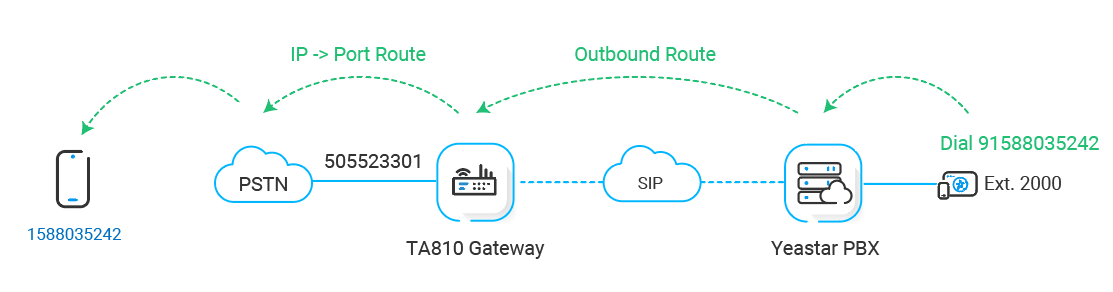
The application scenario is shown as the following figure.
Procedure
Step 1. Create an outbound route on Cloud Voice PBX system
On Cloud Voice, create an outbound route to allow users to reach the Cloud Voice TA810 gateway.- Log in to PBX web portal, go to , click Add.
- Configure the following settings for the outbound route and leave other
settings as default.
- Name: Specify a name to help you identify it.
- Dial Pattern: Set the dial patterns
according to your needs.
In this example, set Pattern to 9., and set Strip to 1. Users should dial prefix
9before the target number. For example, to call number123456, users should dial9123456.
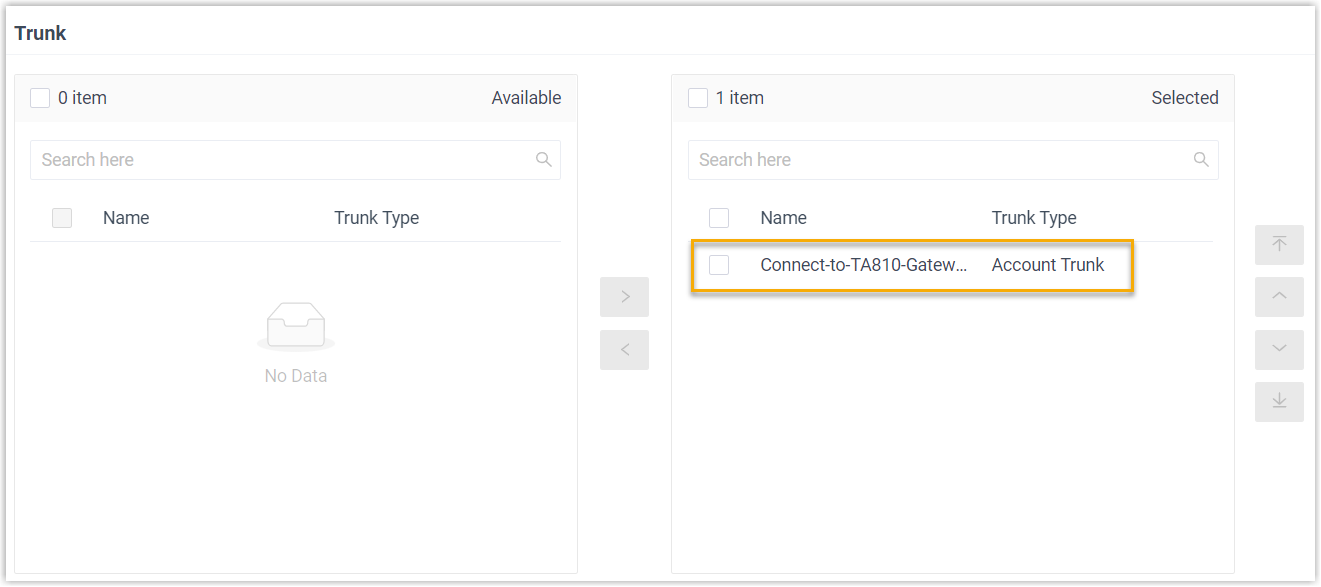
- Trunk: Select the SIP account trunk that is connected to Cloud Voice TA810 gateway. In this example, select the trunk
Connect-to-TA810-Gateway.
- Extension/Extension Group: Select the
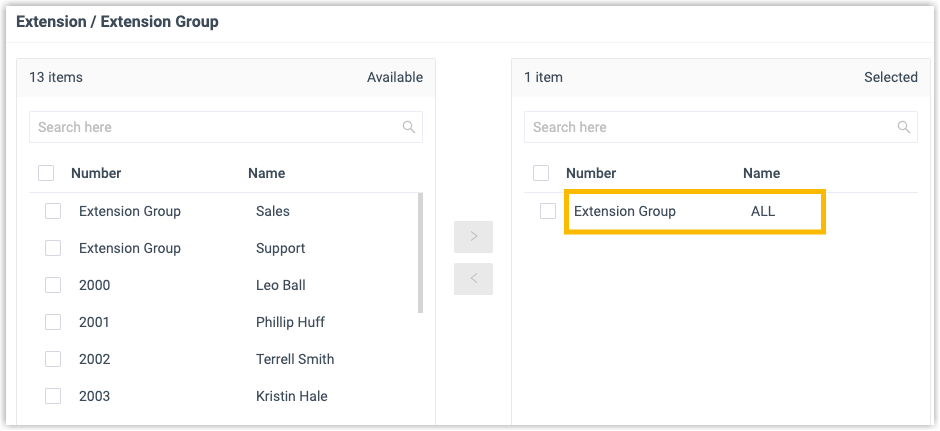
extensions that are allowed to make calls through this outbound
route. In this example, select all extensions.
- Click Save and Apply.
Step 2. Create an 'IP->Port' route on Cloud Voice TA810 gateway
On Cloud Voice TA810 gateway, create an IP->Port route to allow PBX users to make outbound calls through FXO trunk.- Log in to gateway web interface, go to , click Add IP->Port Route.
- In the pop-up window, configure the route.
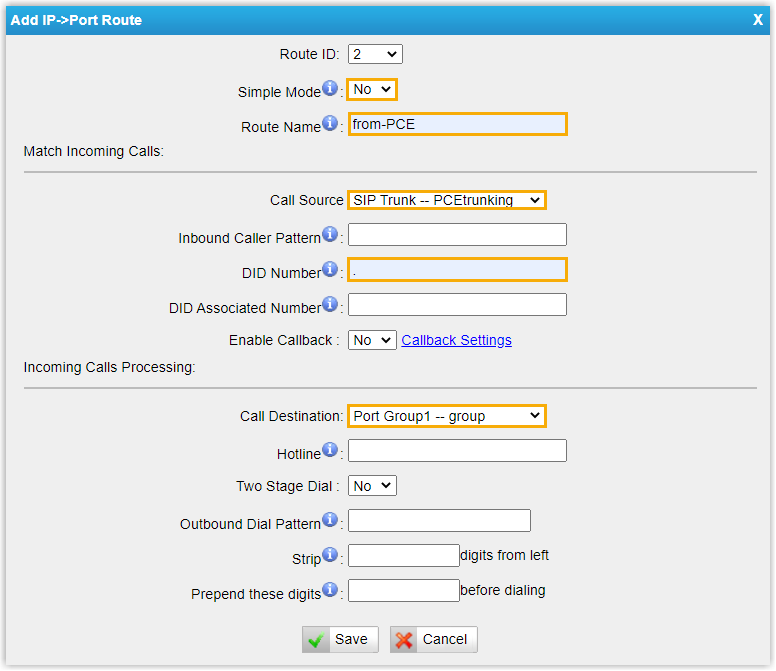
- Simple Mode: Select No.
- Route Name: Enter a name to help you identify it.
- Call Source: Select the SIP trunk that is connected to Cloud Voice. In this example, select the trunk SIP Trunk - PCEtrunking.
- DID Number: Set to
.to allow users to dial any number. - Call Destination: Select the FXO trunks that will be used to call out. In this example, select all FXO trunks.
- Click Save and Apply Changes.
Step 3. Make a test call from Cloud Voice PBX system
For example, the outbound caller ID of the extended FXO trunk is 505523301, when extension 2000 dials 91588035242, the user 1588035242 will ring, and caller ID "505523301" is displayed.