Connect Cloud Voice and Cloud Voice TA100/200 FXS Gateway
This topic describes how to connect Cloud Voice and Cloud Voice TA100/200 FXS gateway, so as to extend analog phone(s) for the PBX.
Procedure
Step 1. Create an extension on Cloud Voice PBX
On Cloud Voice, create an extension for an FXS port on the gateway.
- Log in to PBX web portal, go to .
- Click Add to create an extension. In this example,
create extension 1000.
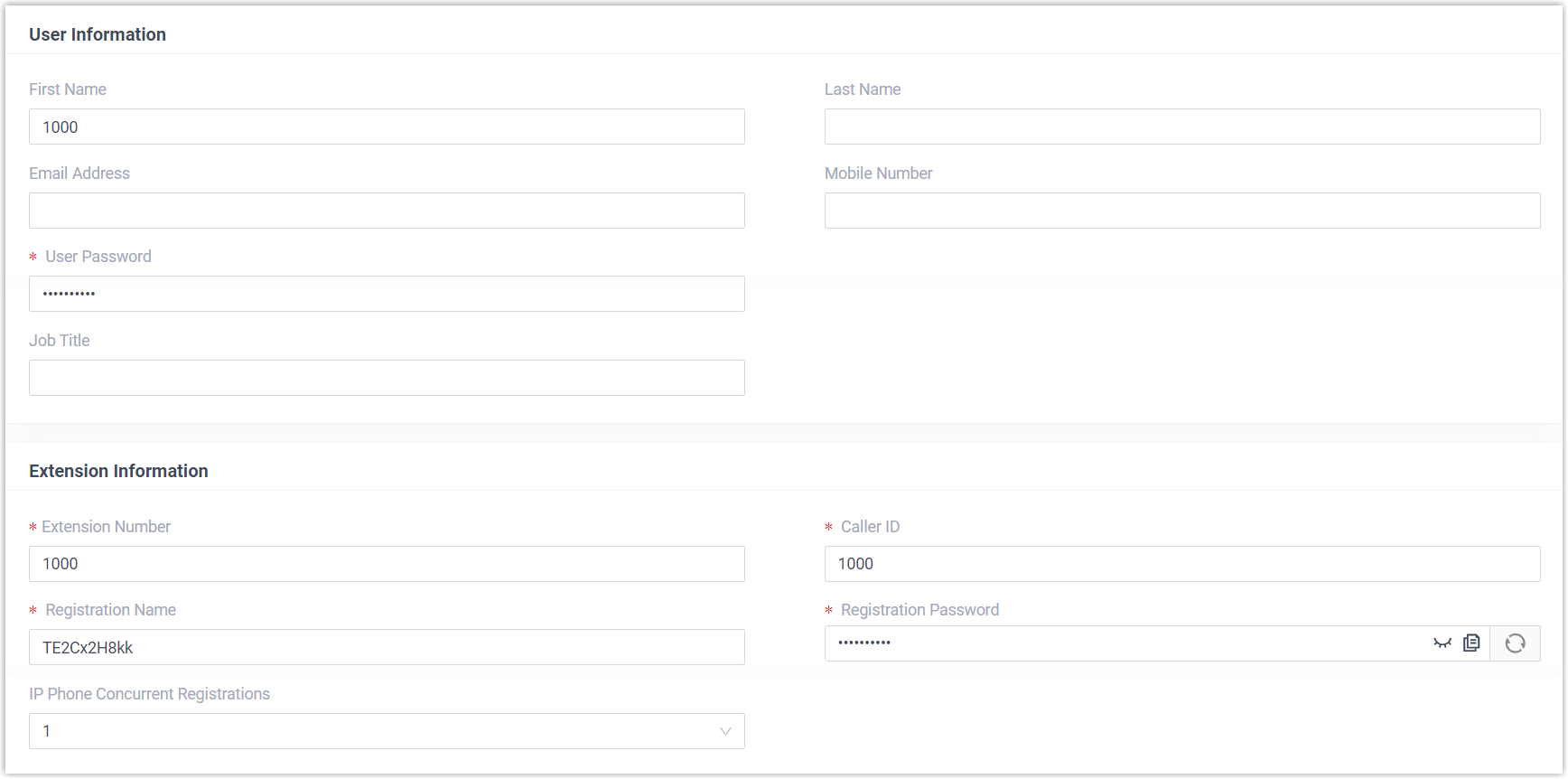
- Click Save and Apply.
Step 2. Register the extension with FXS port on Cloud Voice TA100/200 FXS gateway
On Cloud Voice TA100/200 FXS gateway, register an FXS port as a PBX extension.
-
Log in to gateway web interface, go to , edit an FXS port.
- In the pop-up window, configure the following settings:
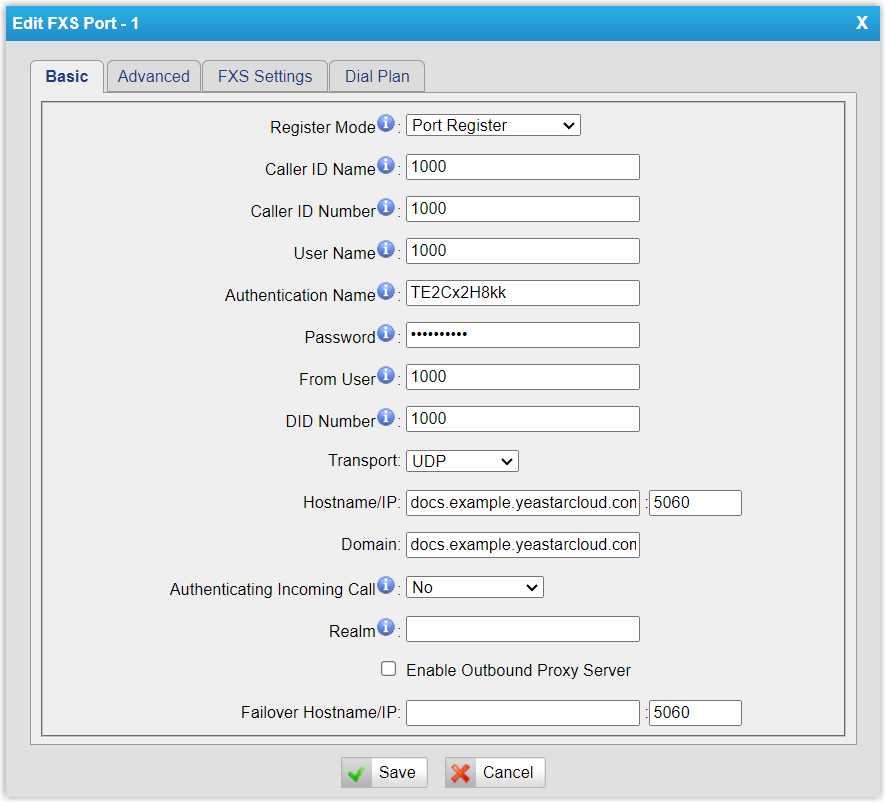
- Register Mode: Select Port Register.
- Caller ID Name: Enter a name to help you identify the FXS port.
- Caller ID Number: Enter the extension number.
- User Name: Enter the extension number.
- Authentication Name: Enter the extension's registration name.
- Password: Enter the extension's registration password.
- From User: Enter the extension number.
- DID Number: Enter the extension number.
- Transport: Select UDP.
- Hostname/IP: Enter the PBX's domain name and SIP port.
- Domain: Enter the PBX's domain name.
-
Click Save and Apply Changes.
Result
- The extension is successfully registered with the FXS port. You can check the
registration status on PBX web portal and gateway web interface.
- On PBX web portal, go to to check the extension status. If the registration is
successful, the extension status will display
 .
.
- On gateway web interface, go to to check the FXS port status. If the registration is
successful, the port status will display "OK".

- On PBX web portal, go to to check the extension status. If the registration is
successful, the extension status will display
- Now the analog phone connected to the FXS port can be used to make and receive internal calls.
What to do next
- To make outbound calls from the analog phone, see Make Outbound Calls from an Analog Phone Connected to Cloud Voice TA100/200 FXS Gateway.
- To receive inbound calls on the analog phone, see Receive Inbound Calls on an Analog Phone Connected to Cloud Voice TA100/200 FXS Gateway.