Enable Cloud Voice Live Chat on Joomla Website
After you obtain the code snippet for Cloud Voice Live Chat, you can paste the code to
your Jommla website's source code before the /body tag. When done, a live
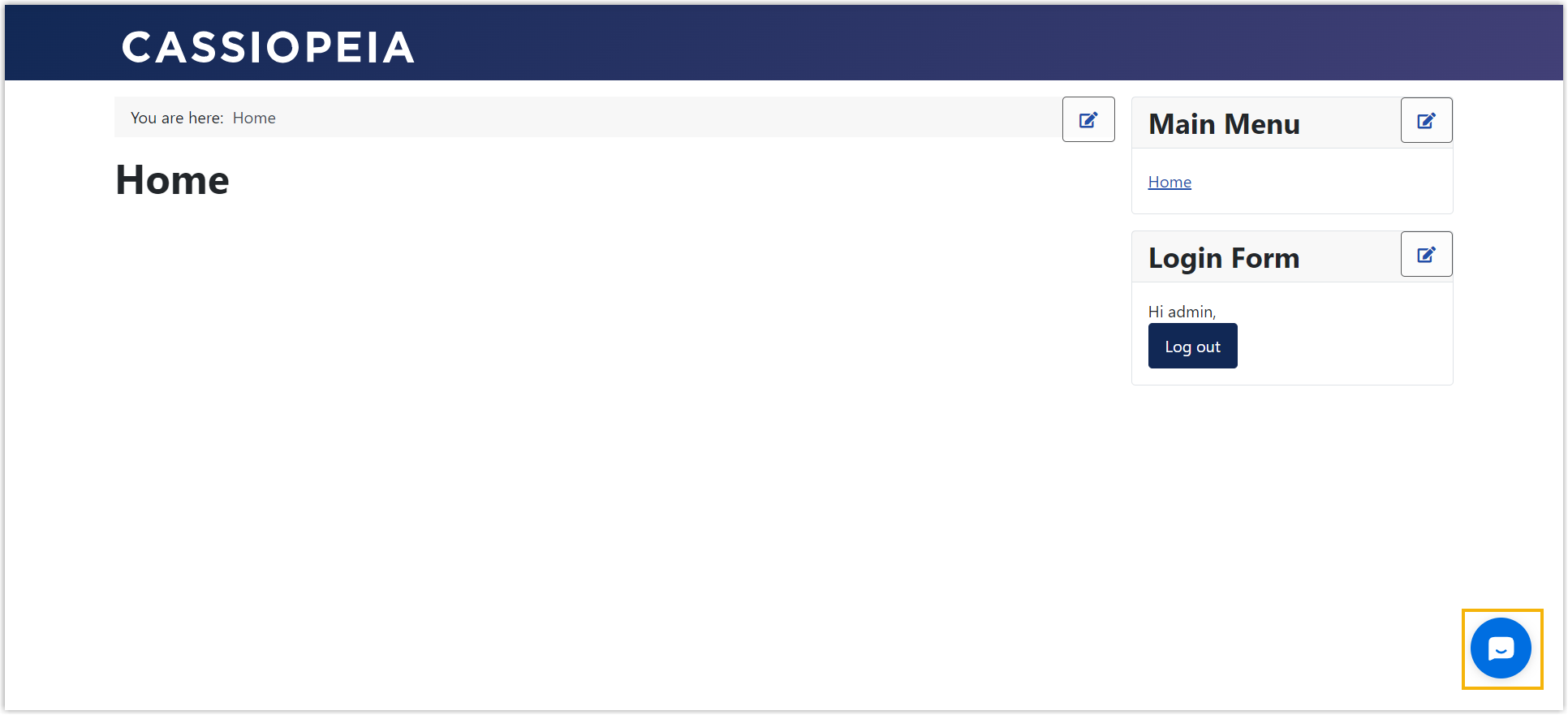
chat widget appears at the bottom-right corner of the website, enabling website visitors to
have a real-time conversation with your agents.
Prerequisites
You have obtained the code snippet for Cloud Voice Live Chat.
Procedure
-
Log in to your Joomla's administrator panel.
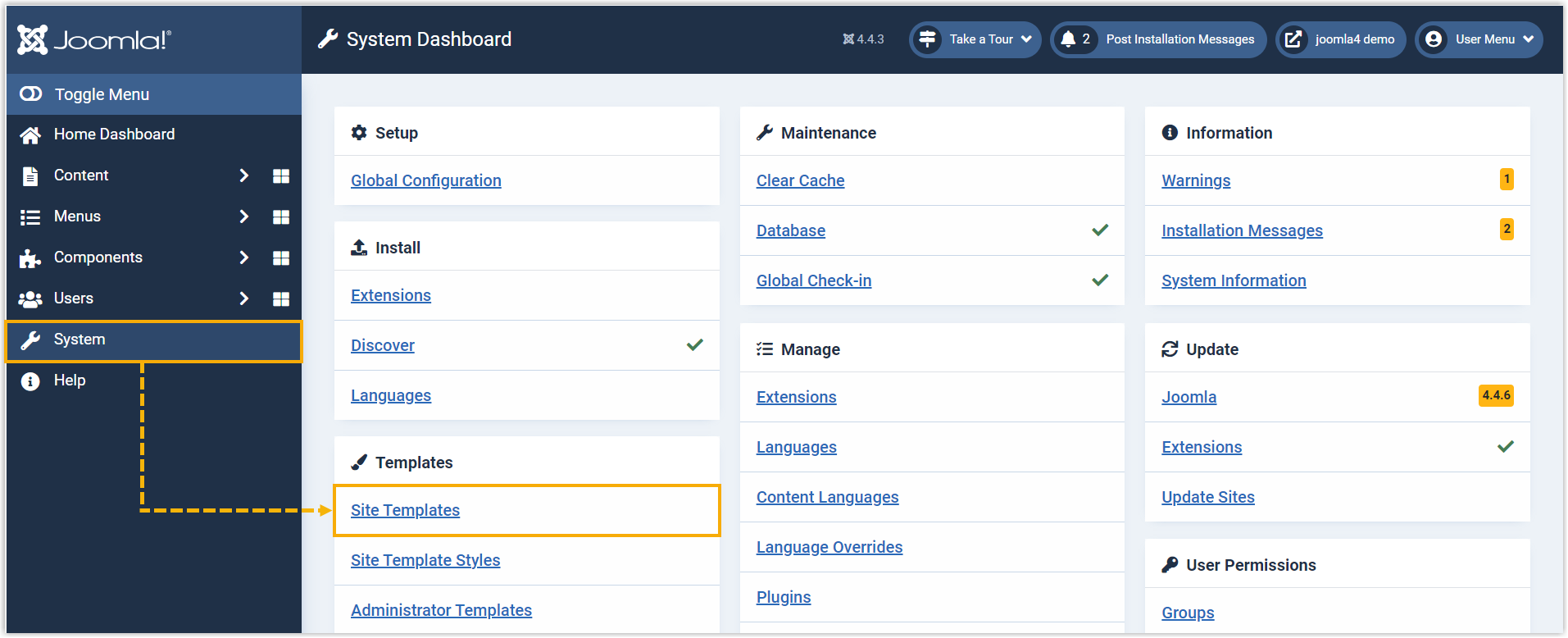
- On the left navigation bar, click System, then click
Site Templates.
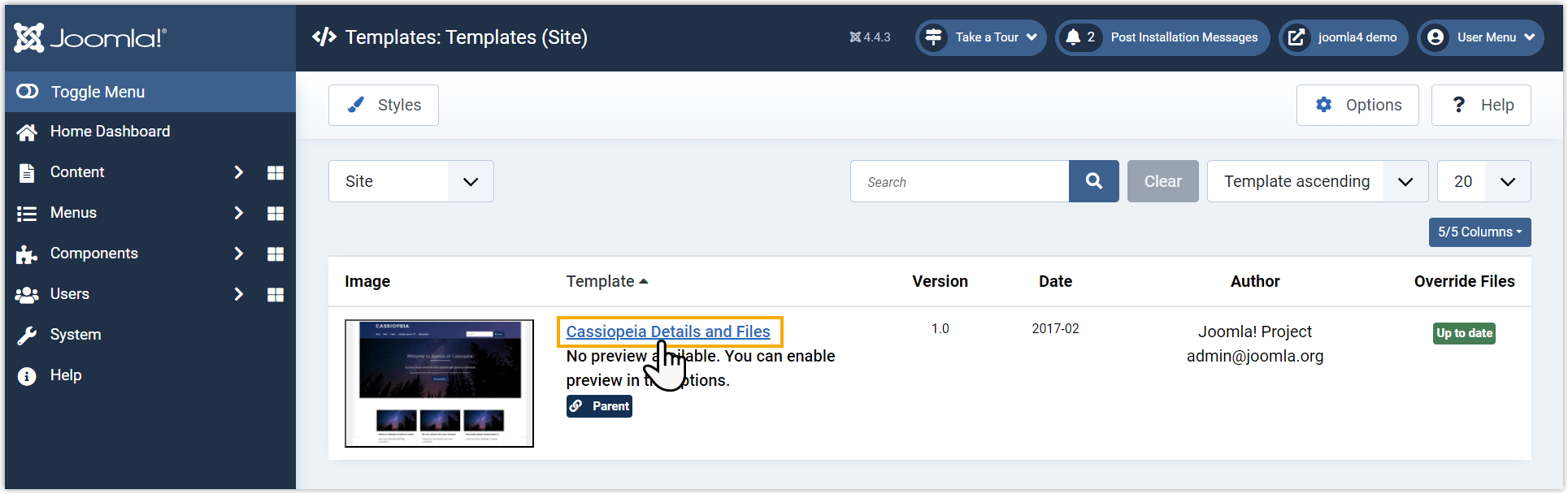
- Click the template to which you want to add the code.
- Click index.php, then paste the code snippet before
/bodytag.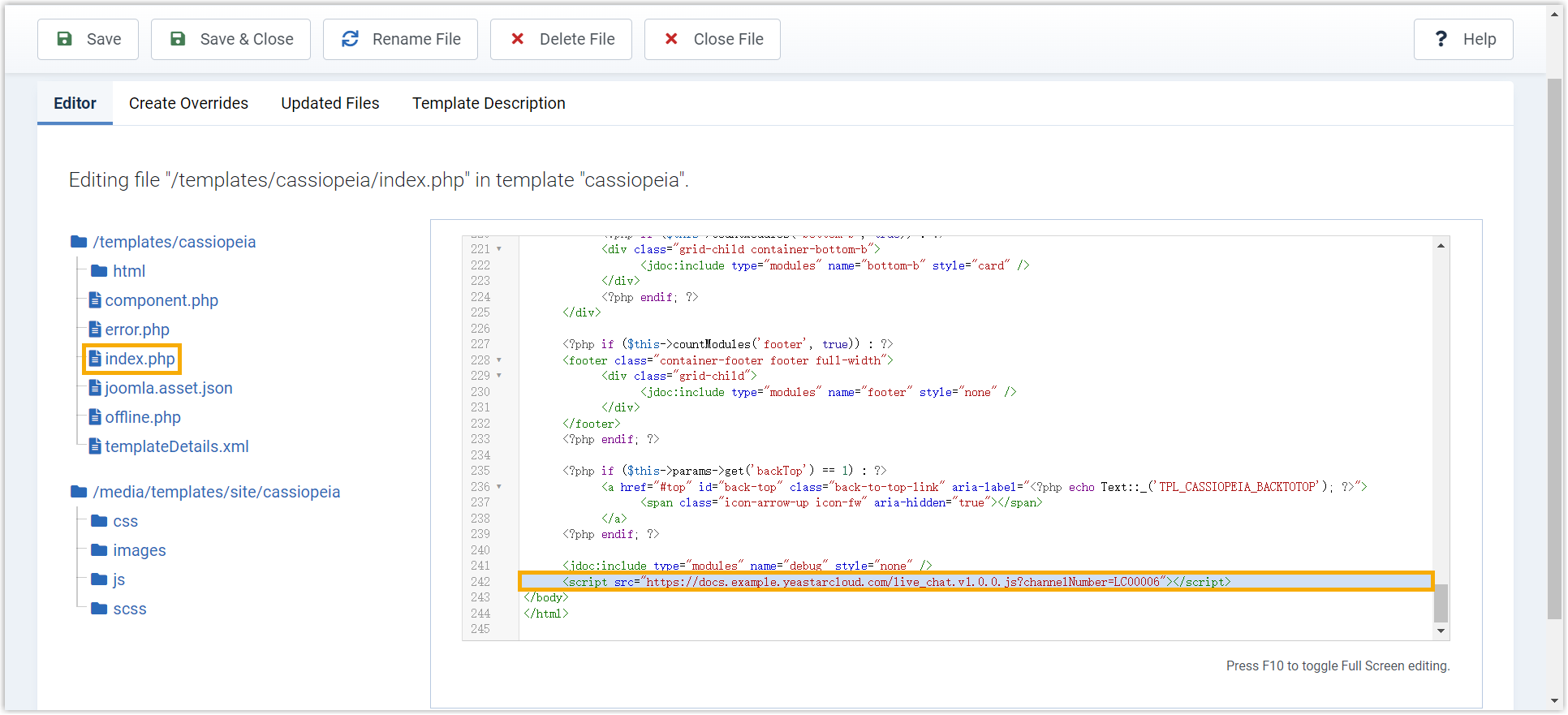
- At the top-left corner, click Save.
Result
Access your Joomla website, you will find the live chat widget is added to the bottom-right corner of your website.