Allow Agents to View Queue Call Logs on Cloud Voice App Clients
This topic describes how to allow agents to view queue call logs on their Cloud Voice App UC Clients.
Procedure
- Log in to PBX web portal, go to .
- Click
 beside the desired queue, and enter the Queue Panel
Permissions tab.
beside the desired queue, and enter the Queue Panel
Permissions tab. - Scroll down to the Agents section, and complete the
following settings.
- Select the checkbox of Queue Call
Logs.
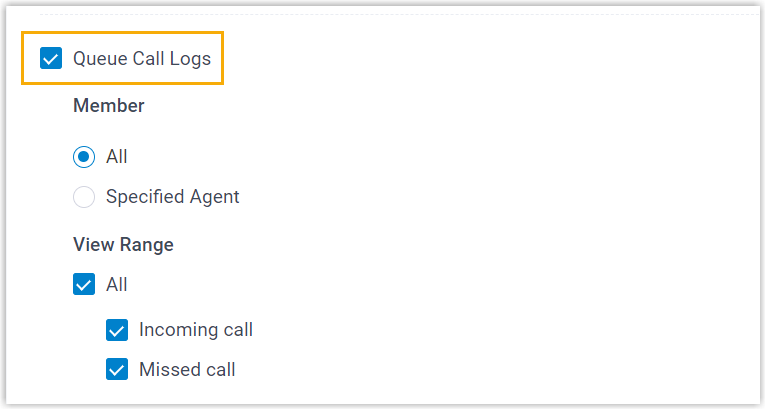
- Set up the viewing permission.
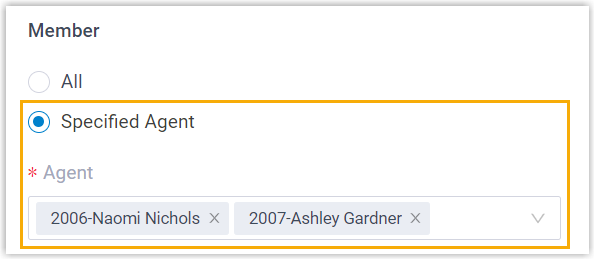
Item Description Member Specify the agents that can view call logs of the queue on their Cloud Voice App clients. - All: All the queue agents can view the queue call logs.
- Specified Agent: Only
the specified agents can view the queue call
logs.
View Range Specify the type of queue call logs that the authorized agents can view. - All: Agents can view all call logs, including incoming calls and missed calls.
- Incoming call: Agents can view the call logs of the queue calls that they answered.
- Missed call: Agents can view the call logs of missed queue calls, as well as the missed call processing status.
- Select the checkbox of Queue Call
Logs.
- Click Save.
Result
The authorized agents are able to view queue call logs on their Cloud Voice App Web Client and Desktop Client (Path: ).
| Cloud Voice App Web Client | Cloud Voice App Desktop Client |
|---|---|
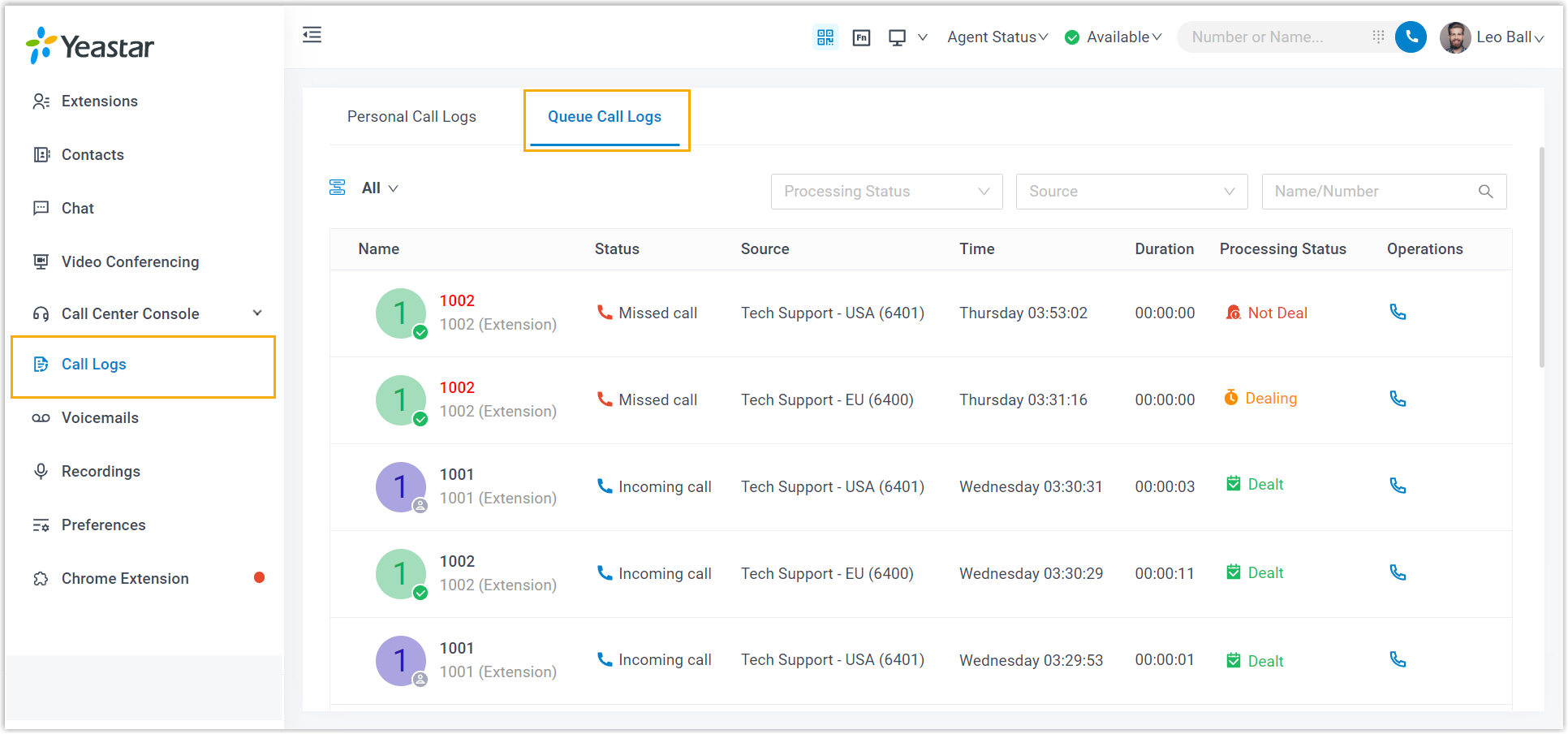 |
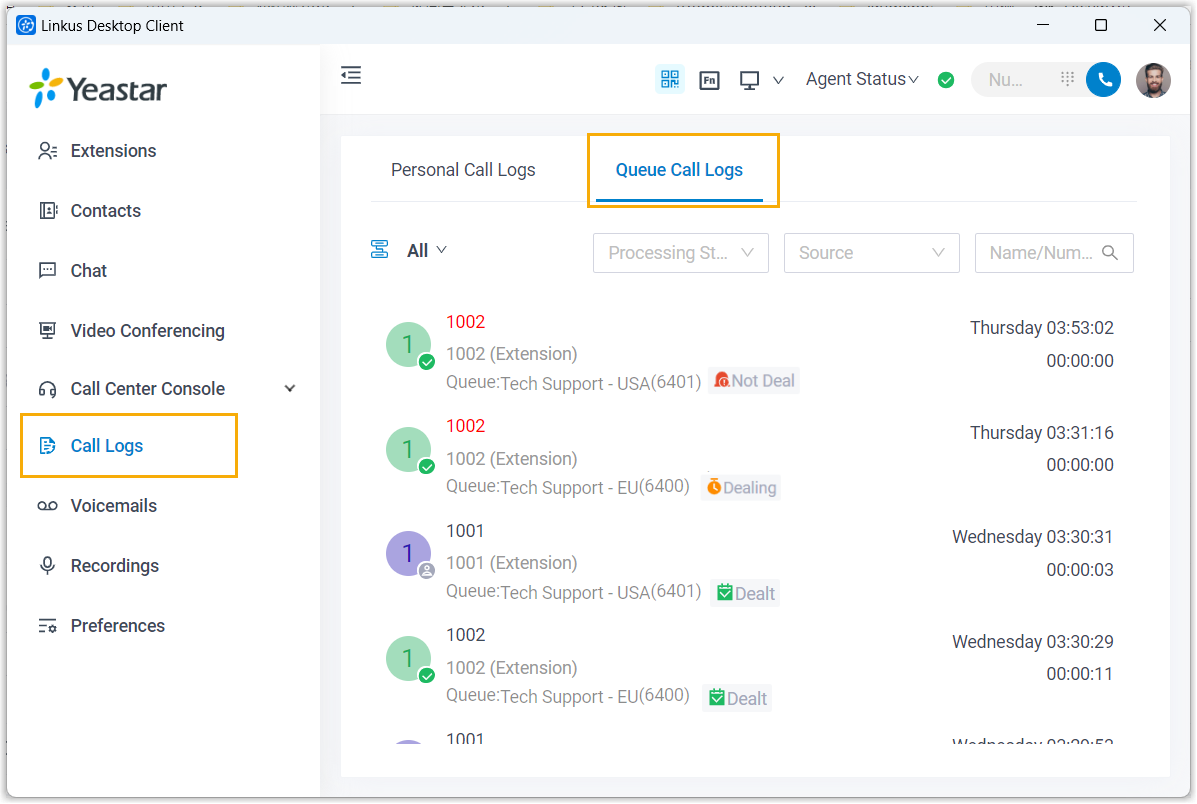 |