Export Call Flows
Call flows configured on Cloud Voice can be exported and imported to another Cloud Voice. This topic describes how to export call flows.
Important: After exporting call flows, do NOT modify the
exported file. Otherwise, the call flow may NOT work when imported into another Cloud Voice
PBX system.
Procedure
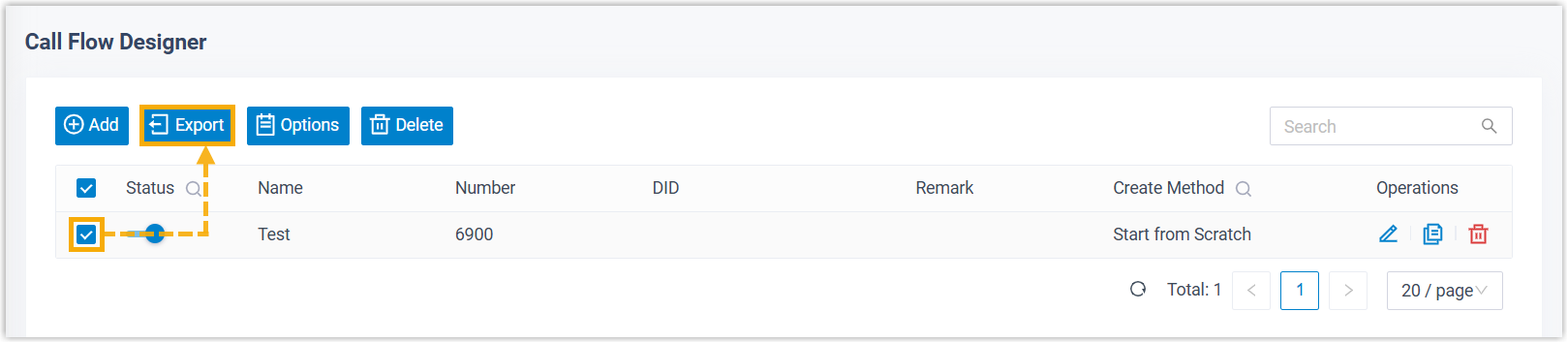
- Log in to PBX web portal, go to Call Flow Designer.
- Select the checkbox(es) of the call flow(s) that you want to export, then
click Export.
Result
- If you export a single call flow, it is saved as a
.jsonfile. - If you export multiple call flows, they are saved as a
.zipfile. You can unzip the file to access individual.jsonfiles.